Fontjohn vs ChatGPT: Which One Actually Makes a Font?
Can ChatGPT make a font? It draws alphabet images, not installable files. Compare ChatGPT and Fontjohn on .otf/.ttf output, kerning, editing, time and cost.
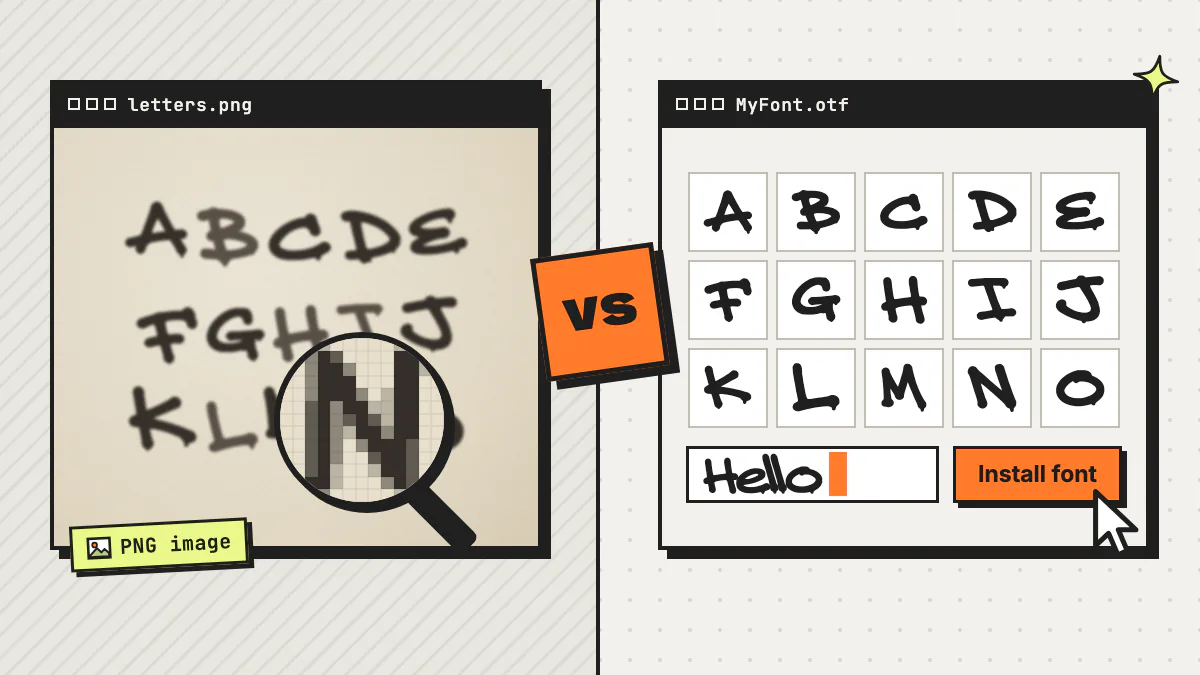
Can ChatGPT make a font? Not directly. ChatGPT can draw a picture of an alphabet in the style you describe, but a picture is pixels, not a font file. To actually type with it, every character still has to be cropped, traced into vector outlines, spaced, kerned and packaged into an .otf or .ttf file.
That second half is the part Fontjohn was built for. Full disclosure: this is Fontjohn’s blog, and Fontjohn also uses an AI image model to draw the letters. The difference is everything that happens after the drawing. Below we compare the two on the things that decide whether you end up with a usable font, then walk through the workflow we’d actually recommend: ChatGPT for the idea, Fontjohn for the font.
Key takeaways
- ChatGPT can generate an image of an alphabet in a style you describe, but an image is pixels, not an installable .otf or .ttf font file.
- Turning a ChatGPT alphabet into a real font means cropping every character, tracing it into vector outlines, setting spacing and kerning, and building the file in a font editor or with code.
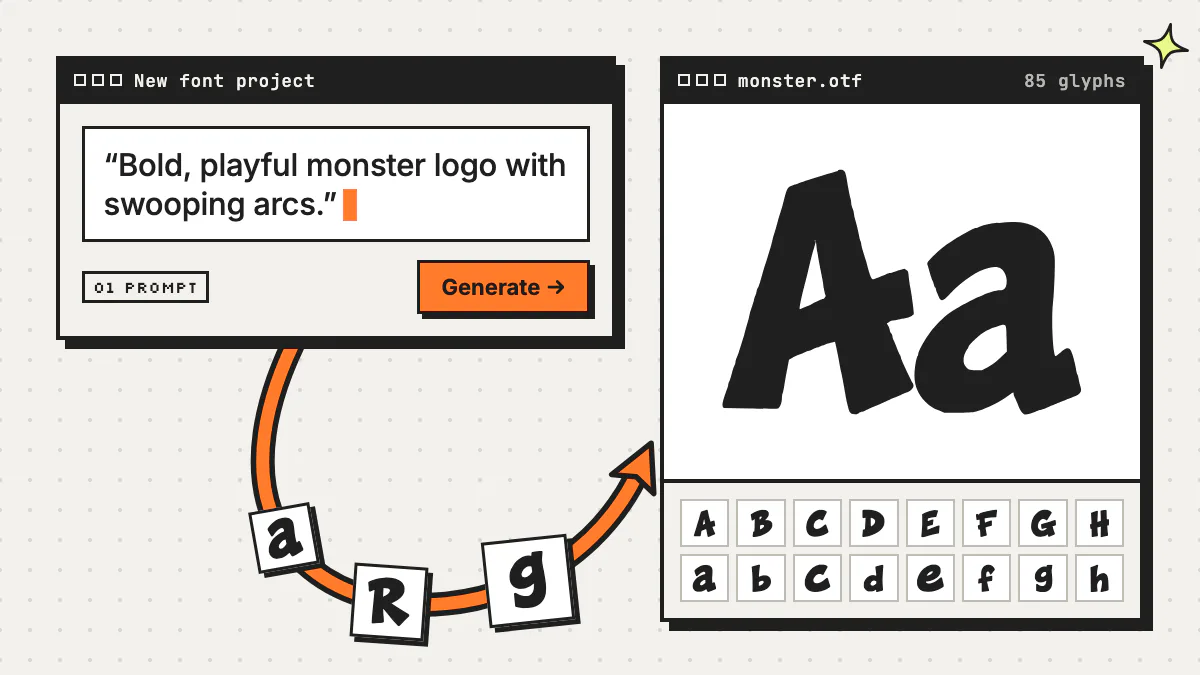
- Fontjohn is an AI font generator that draws all 85 characters (A–Z, a–z, 0–9 and 23 punctuation marks) from one prompt or reference image, and its paid plans export .otf, .ttf and WOFF2 files.
- A practical workflow uses both: brainstorm and write a detailed style prompt in ChatGPT, then paste it into Fontjohn to build the font.
- As of September 2026, both have free plans: ChatGPT’s includes limited image generation, and Fontjohn’s lets you design and type-test one font a month, with downloads on paid plans.
Can ChatGPT make a font?
ChatGPT can generate an image of an alphabet, and it can write code, but it doesn’t hand you a finished font. As of September 2026, its image tool creates and edits pictures. An installable font is a different kind of file: vector outlines for every character, plus spacing, kerning and a character map that tells apps which shape is which letter.
What ChatGPT can do for fonts today
ChatGPT Images is available on every ChatGPT plan, and OpenAI’s help center says it can follow instructions to add text, add details and make the background transparent. You can also upload an existing image and describe the changes you want. So a prompt like “the full alphabet A to Z in chunky retro bubble letters, black on white” can get you something that looks like a type specimen, and you can save that image to your device.
It’s worth knowing what OpenAI itself says about its image models. The developer documentation for its GPT Image models notes that text rendering, although significantly improved, can still struggle with “precise text placement and clarity.” It adds that the models may occasionally struggle to keep recurring characters or brand elements consistent across multiple generations, and may have difficulty placing elements precisely in layout-sensitive compositions. An alphabet sheet leans on all three: dozens of small letters that have to be crisp, match each other and line up in a grid.
What a font file needs that an image doesn’t have
- Vector outlines. Each character is stored as curves and points, so it stays crisp at 8 px or 800 px. An image is a grid of pixels that goes soft or jagged when you scale it up.
- A character map. The file has to know that this shape is “a” and that one is “?”, so pressing a key produces the right glyph.
- Metrics and spacing. Every glyph needs a width and side spacing, and all of them have to sit on a shared baseline.
- Kerning. Awkward pairs like “AV” or “To” need custom spacing, or words look gappy.
- Names and packaging. A family name, a style name and a valid .otf, .ttf or WOFF2 container, so your computer, design apps and websites can use it.
None of that lives in a PNG. That’s not a knock on ChatGPT. Drawing letters and engineering a font are simply different jobs.
Where ChatGPT genuinely shines
- Brainstorming directions, like “give me ten display-font ideas for a surf shop.”
- Writing a tight style description: stroke weight, contrast, width, terminals and mood.
- Lettering concepts for a one-off headline, logo sketch or poster word, where you don’t need a whole font.
- Explaining type jargon, and writing code if you want to build a font file yourself.
How do you turn a ChatGPT alphabet into a real font?
You rebuild it as a font. Generate every character you need, crop each one, trace it into vector outlines, assemble the outlines in a font editor or with code, set spacing and kerning, then export an .otf or .ttf. It’s doable, and people do it, but ChatGPT only covers the first step.
Here’s what the do-it-yourself route looks like:
Generate every character, not just A–Z
A usable font needs lowercase letters, numbers and punctuation too. Fontjohn’s standard set is 85 characters, and every extra image you ask ChatGPT for is another chance for the style to drift. Since OpenAI’s own docs list text clarity and consistency among their image models’ limitations, zoom in and check each character for missing, doubled or malformed letters.
Clean up and crop each character
Remove the background, straighten the sheet and cut every letter into its own file. Keep track of where the baseline sits in each crop, or your letters will bounce up and down once they’re in a font.
Trace the pixels into vector outlines
Run each letter through an image-trace (vectorizing) tool, then tidy the result. Auto-traced outlines can come out with extra points and wobbly curves, which bloat the file and render poorly at small sizes.
Assemble the font
Import the outlines into a font editor such as FontForge and assign each one to its character. Or ask ChatGPT to write a script: the fontTools Python library includes a module for constructing TTF and OTF fonts from scratch. ChatGPT can write and run Python in a notebook environment, but OpenAI’s data analysis help page says that environment can’t make external web requests, and the page doesn’t list which libraries come installed. Plan on running the script on your own computer, where you can install fontTools yourself.
Set spacing and kerning
Give every glyph sensible side spacing, then kern the awkward pairs (AV, Ty, To and friends). It’s easy to underestimate this step: beautiful letters with uneven spacing still read as clumsy text.
Export, install, test, repeat
Build the file, install it and type real sentences. You’ll spot the letter that’s too heavy or the comma that sits too high, and each fix sends you back to redraw or re-trace that character.
Fontjohn vs ChatGPT: how do they compare for making fonts?
ChatGPT gives you an image of letters; Fontjohn gives you a font. ChatGPT is far more flexible and great for concepts. Fontjohn is narrower on purpose: it draws a fixed 85-character set, turns it into editable vector outlines, handles kerning, and on paid plans exports .otf, .ttf and WOFF2 files you can install.
| Feature | ChatGPT on its own | Fontjohn |
|---|---|---|
| What you get | An image of letters you can save to your device | .otf, .ttf and WOFF2 font files, plus a color .ttf (when the sheet has color) and PNG glyph sprites. Downloads need a paid plan |
| Characters | Whatever ends up in the image, so check each one | Always 85: A–Z, a–z, 0–9 and 23 punctuation marks |
| Style consistency | OpenAI’s developer docs say its image models may occasionally struggle to keep recurring elements consistent across multiple generations | All 85 characters drawn as one sheet; regenerate a single character from style-matched variants |
| Vector outlines | No. It’s pixels, so you trace them yourself | Yes. Every glyph is vectorized, with adjustable simplify, corner sharpness, snap-to-grid and draggable anchor points |
| Spacing and kerning | Set by hand in a font editor or in code | Automatic kerning, a pair editor and a letter-spacing control, baked into the export |
| Fixing one letter | Re-prompt or edit the image, then re-crop, re-trace and re-space it | Click its cell to regenerate it (uses a regen credit, included with Pro and Studio), then tweak the outline in Refine |
| Weights | Make each weight yourself | Light, Medium, SemiBold, Bold and Black derived from your Regular (Pro and Studio) |
| Accents and symbols | Draw and add each one yourself | Latin expansion for 40+ European languages, plus ß Æ Ø Ł and € £ ¥ © ™ (Pro and Studio) |
| Testing | Only after you’ve built and installed a font file | Live headline and paragraph testers, size ladder, character tray and poster previews before you download |
| Commercial use | OpenAI’s Terms of Use say that, as between you and OpenAI and to the extent the law allows, you own the output, and that other users may receive similar output | You own your fonts; paid downloads include a commercial license with no royalties and no watermark |
| Time | The image may take a few minutes, per OpenAI. The font: however long cropping, tracing, spacing and building take you | The full 85-character sheet in roughly 30–90 seconds, then refine, kern and export in the browser |
| Cost | Free plan includes limited and slower image generation; Plus is $20/month and Pro is from $100/month in the US (ChatGPT pricing) | Free: design and type-test 1 font a month, no downloads. Pro: $20/month or $200/year. Studio: $50/month or $500/year |
Where ChatGPT comes out ahead
Range. ChatGPT makes posters, mockups, logos and a thousand other things, and if you only need one word as an image, like a headline for a single social post, you don’t need a font at all. It’s also the better brainstorming partner: you can argue with it about whether your café deserves a serif. Fontjohn does one thing, and that thing is fonts.
What does Fontjohn do that ChatGPT doesn’t?
Fontjohn does the font engineering. Like ChatGPT, it uses an AI image model to draw your letters. Then it splits the sheet into one cell per character, vectorizes every glyph, applies kerning and builds real font files.
Fontjohn (fontjohn.com) is an AI font generator that turns a one-sentence description or a reference image into a complete 85-character font you can refine, kern and, on a paid plan, download as .otf, .ttf or WOFF2.
One sheet, every character in its own cell
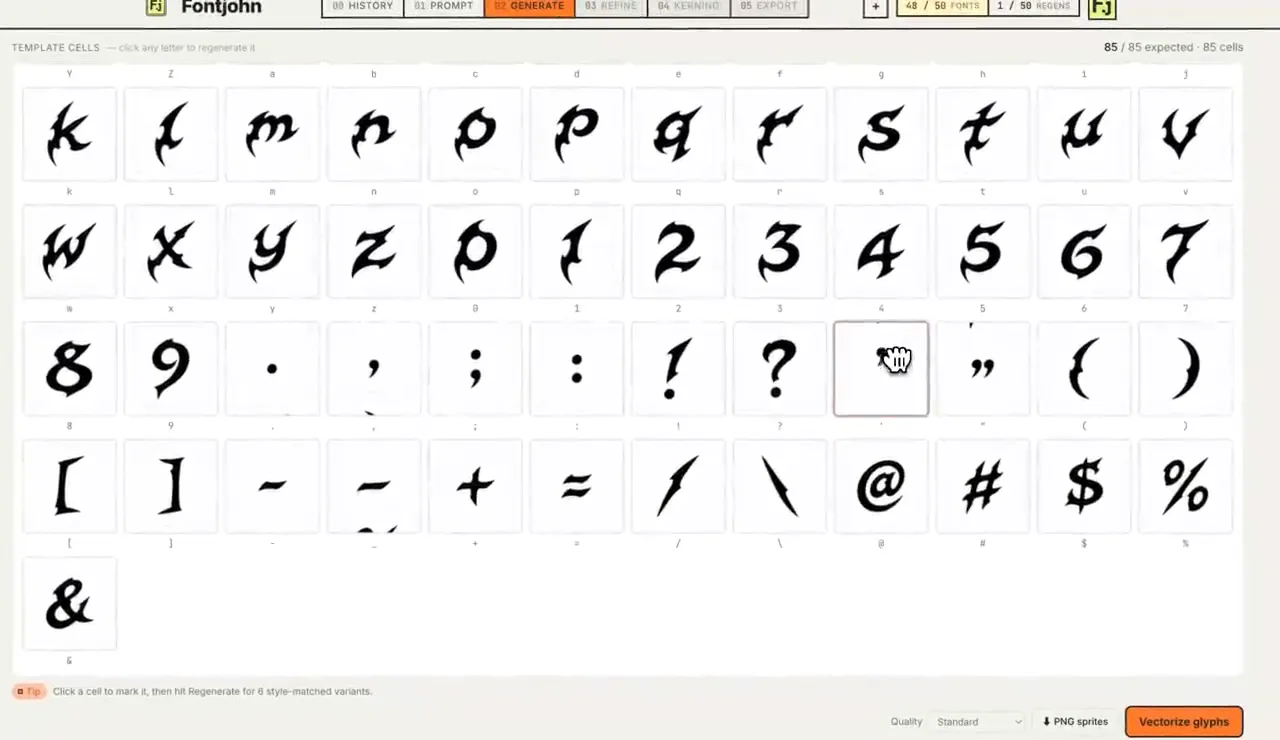
Every run draws different glyphs, so no two fonts are identical. Because the sheet is split into one cell per character, a wonky “g” doesn’t mean starting over: click its cell to regenerate just that character and pick from style-matched variants. Each regeneration uses a regen credit; Pro includes 10 a month and Studio 15.
Real vector outlines you can edit
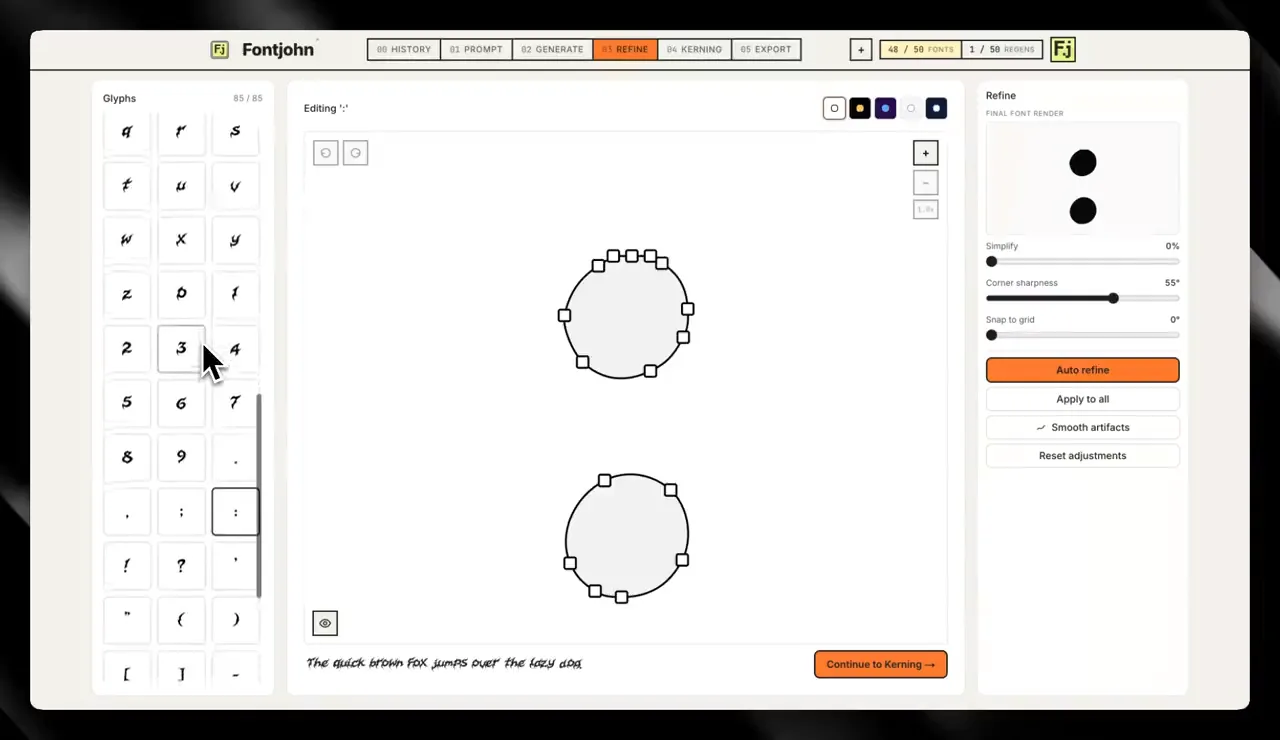
In the Refine step, each letter becomes a vector outline. Per glyph you can adjust simplify, corner sharpness and snap-to-grid, or drag the anchor points yourself. That’s the tracing-and-cleanup chore from the DIY route, done in the same browser tab.
Kerning, weights and accents
- Kerning: automatic kerning, a pair editor and a letter-spacing (tracking) control, with your overrides baked into the exported font.
- Weights (Pro and Studio): Light through Black derived from the finished Regular, with no extra AI generations, downloadable as one family.
- Latin expansion (Pro: 3 fonts a month, Studio: 10): accented letters for 40+ European languages, plus extra letters and symbols like ß, Ł, € and ©, drawn in your font’s own style.
Files that actually install
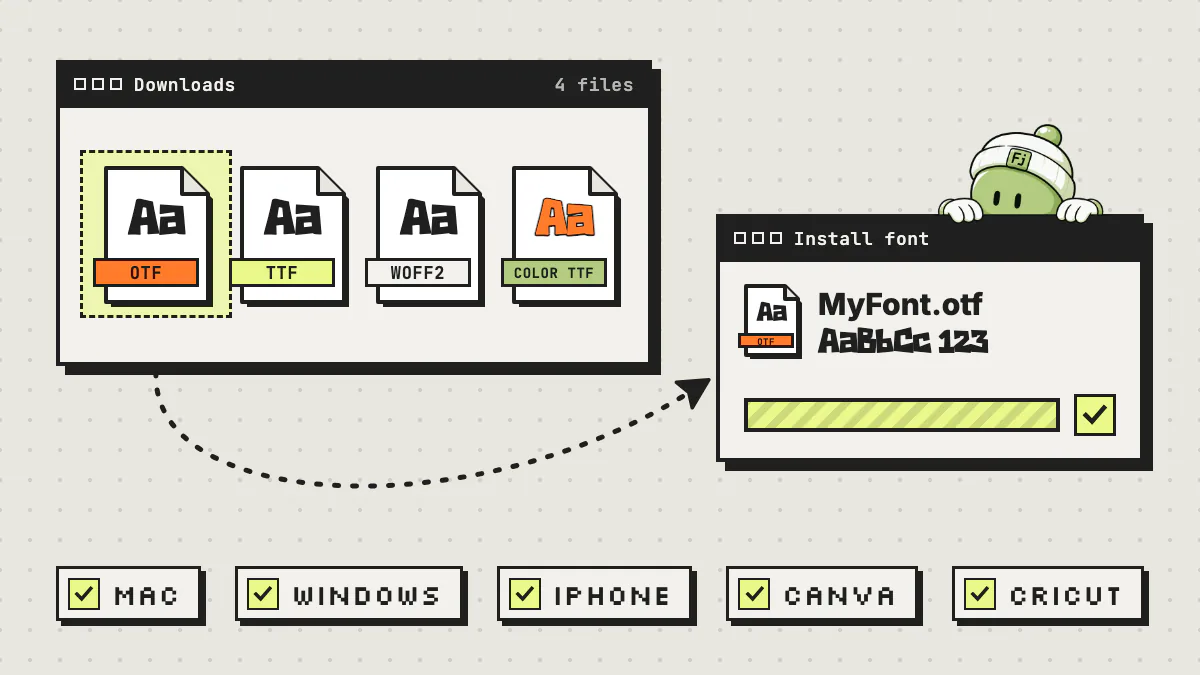
The Export step lets you type-test before you download. On a paid plan you then get .otf, .ttf and WOFF2 files, a color .ttf when the sheet has color, PNG glyph sprites, and a family zip if you made weights.
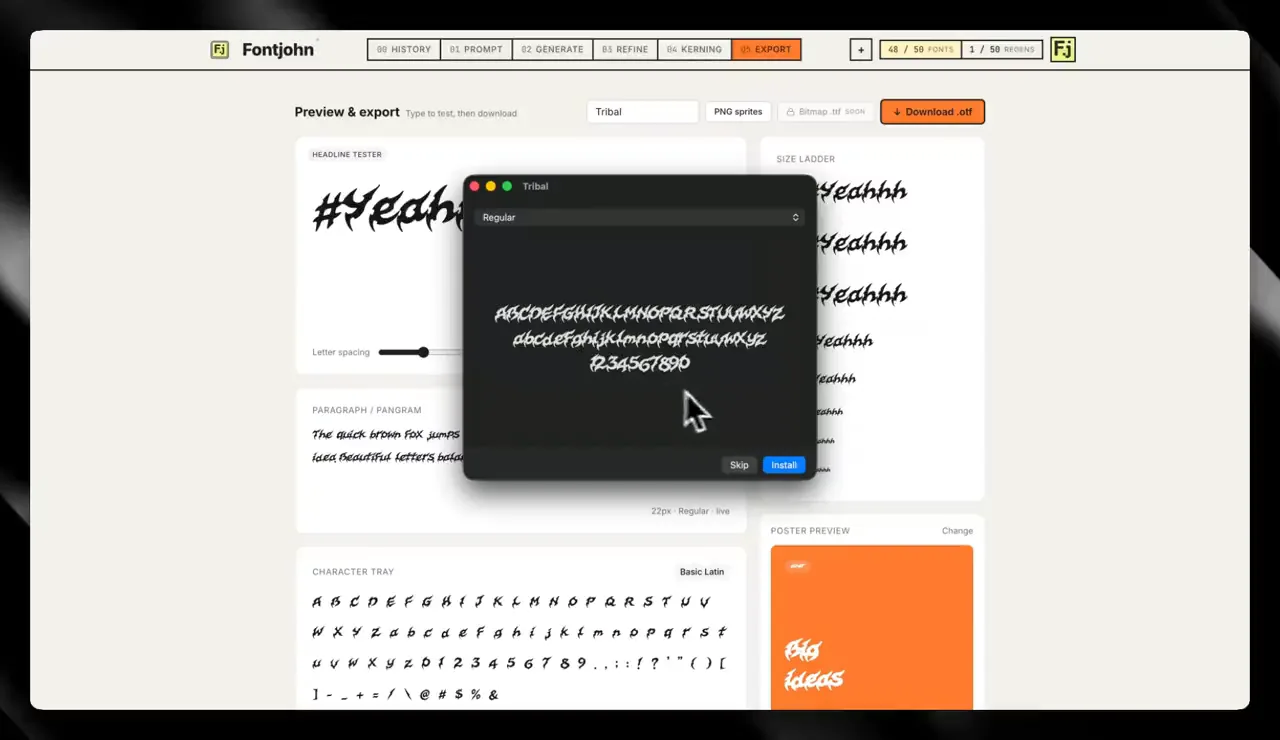
For the full walkthrough, read how to make a font with AI, step by step. To get your font onto every device, see how to install fonts on Mac, Windows, iPhone, Canva and Cricut.
How to use ChatGPT and Fontjohn together
Let each tool do what it’s best at. Use ChatGPT to explore styles and write a detailed, one-sentence font description, or to sketch a lettering concept image. Then paste that description into Fontjohn, or attach the concept image as a reference, and let Fontjohn build the actual font.
Brainstorm the style in ChatGPT
Tell it what the font is for and ask for a few options. For example:
Pick one and sharpen it
Short prompts work, but specific ones give you more control. “Chunky hand-cut letters with rounded corners, a slightly bouncy baseline and a warm, rowdy feel” tells the model far more than “fun font.” Leave out brand names and don’t ask for a copy of a commercial typeface: you want something new that’s actually yours.
Optional: make a concept image
If words aren’t cutting it, have ChatGPT draw a lettering concept. In Fontjohn, attach it as a reference image, and click “Describe style” if you want a style description written into the prompt box for you.
Generate in Fontjohn and fix the stragglers
Generate the 85-character sheet. On Pro or Studio, regenerate any character that misses. Then check the outlines in Refine and the letter pairs in Kerning.
Export and install
On a paid plan, download .otf, .ttf or WOFF2 and install it. Planning to sell it or build a brand on it? Read how to make money selling fonts or why custom fonts win customers.
Wondering how much a short prompt can do? Each font below is a real Fontjohn export, shown with the prompt that made it.
Salsa Bat
Salsa Bat
Salsa Bat
Salsa Bat
Salsa Bat
Salsa Bat
Salsa Bat
Salsa Bat
Which one should you use?
Use ChatGPT on its own when you need an image of lettering, a concept or a brainstorm. Use Fontjohn when you need a font: something you can install, type with in any app, put on a website, sell or build a brand around. Most people get the best result by using both, in that order.
ChatGPT alone is enough if…
- You need a single word or headline as an image, one time.
- You’re exploring directions before committing to a style.
- You already design type and just want reference art to draw from in your own font editor.
Use Fontjohn if…
- You want to install the font, type with it in your apps or use it on a website.
- You need the whole character set to match: capitals, lowercase, numbers and punctuation.
- You care about spacing, kerning, weights or accented letters.
- You want clear commercial terms for client work, brand identities or products you sell.
Plans are on the pricing page: the free plan lets you design, refine and type-test one font a month in the browser, and downloads start with Pro. The easiest test is your own prompt, so start a free font and see what comes out.
Frequently asked questions
Can ChatGPT create a TTF or OTF font file?
Not from its image generator alone. ChatGPT Images makes pictures of letters, not font files. ChatGPT can write Python that uses a font library such as fontTools to build a .ttf or .otf, but every character still needs vector outlines, spacing and a character mapping, and you may need to run that code on your own computer. Fontjohn, an AI font generator, exports .otf, .ttf and WOFF2 files directly on its paid plans.
Is there a ChatGPT font generator?
Not a built-in one. ChatGPT’s image tool makes images: OpenAI’s help documentation for ChatGPT Images covers creating, editing and saving images, not exporting fonts. Custom GPTs vary, so check what any one actually outputs before relying on it. If you want the same type-a-description experience with an installable font at the end, Fontjohn generates a complete 85-character font from a one-sentence prompt or a reference image.
Can I use a font made from ChatGPT images commercially?
OpenAI doesn’t claim ownership of it. OpenAI’s Terms of Use say that, as between you and OpenAI and to the extent permitted by applicable law, you own the output, and they note that other users may receive similar output. Either way, avoid copying an existing commercial typeface or trademark. On Fontjohn, you own the fonts you generate, and paid downloads include a commercial license with no royalties and no watermark. This isn’t legal advice, so check the terms that apply to your situation.
How long does it take to make a font with ChatGPT vs Fontjohn?
Usually much longer with ChatGPT, because the image is only the first step. According to OpenAI, ChatGPT image generation may take a few minutes, depending on the complexity of the request. The slow part is everything after that: cropping, tracing, spacing, kerning and building the font file, which depends on your skills and tools. Fontjohn draws the full 85-character sheet in roughly 30–90 seconds, and refining, kerning and exporting happen in the same browser tab.
Can I turn a ChatGPT alphabet image into a font with Fontjohn?
You can use it as a style reference. Attach the image in Fontjohn (and click Describe style if you want a style description written into the prompt for you), then generate. Fontjohn draws its own complete 85-character sheet in that style, so expect new letters that follow the look rather than a letter-for-letter trace of your image.
Is Fontjohn free to use?
Fontjohn’s free plan lets you design, refine and type-test one font a month in the browser, but downloading font files needs a paid plan. As of September 2026, Pro costs $20 a month or $200 a year for 30 fonts a month and all download formats, and Studio costs $50 a month or $500 a year for 65 fonts a month. You can cancel anytime.
Skip the tracing. Get the font.
Bring your best ChatGPT prompt to Fontjohn and get all 85 characters as a real font you can refine, kern and type-test in your browser.
Make a font freeFree to design and test. Downloads start with Pro.