How to Make Money Selling Fonts in 2026
How to make money selling fonts in 2026: where to sell, what each marketplace keeps, font licensing, pricing, preview images and the rules on AI fonts.
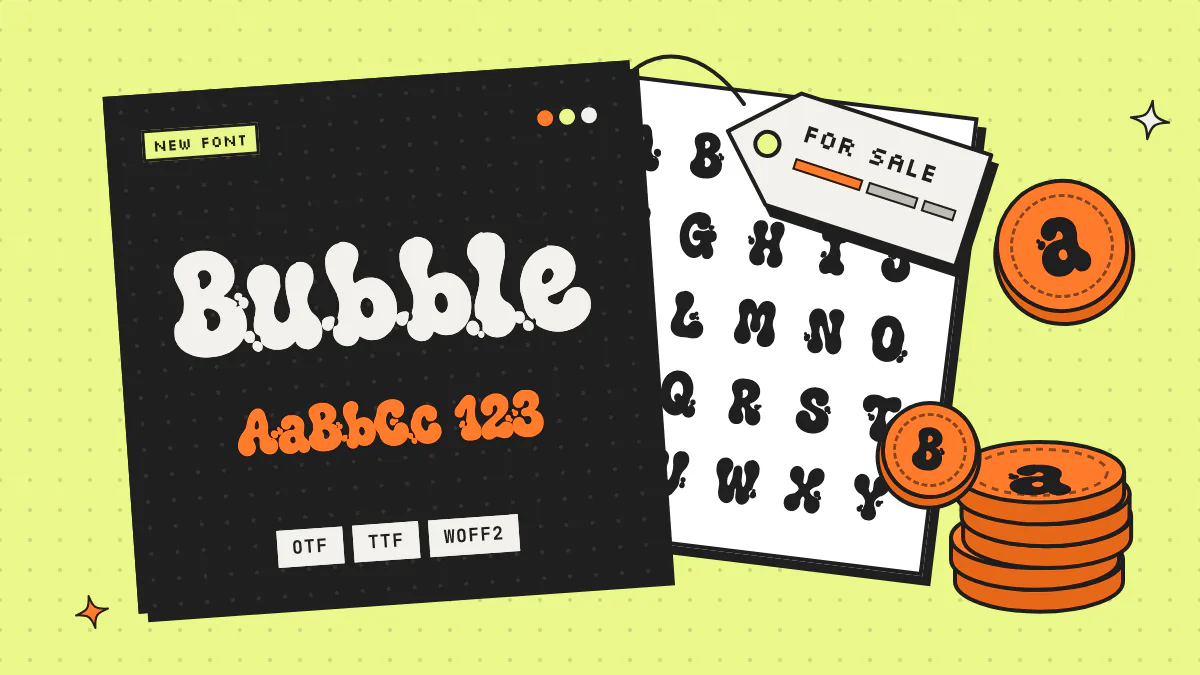
How do you make money selling fonts? You make distinct, finished fonts, sell licenses to use them on marketplaces like Etsy, Creative Market and MyFonts or from your own store, and show buyers exactly how the font looks in use. Plan on a growing catalog, bigger licenses and custom work for clients rather than one lucky upload.
This guide covers where fonts sell and what each platform keeps, the rules on AI-generated fonts (they differ a lot), license tiers, pricing, preview images, listing SEO and ways to earn beyond the files. Every fee and policy links to its source and was checked in September 2026. No income promises here: no marketplace guarantees traffic, and a font can sit unsold for a long time.
Key takeaways
- Fonts make money through license sales on marketplaces or your own store, higher-priced web, app and extended licenses, family bundles, and custom font work for clients.
- As of September 2026, Etsy charges a $0.20 listing fee, a 6.5% transaction fee and payment processing, Creative Market pays shops 50% of list price by default, MyFonts pays foundries 50% of MyFonts sales, and Gumroad takes 10% + $0.50 on direct sales.
- As of September 2026, AI rules differ by marketplace: Etsy and Creative Market allow AI-made products with disclosure, while Envato does not accept AI-generated content as an item’s main component.
- In the US, typeface designs can’t be registered for copyright and purely AI-generated material isn’t protected, so a distinct style, strong previews and a clear license matter more than legal exclusivity.
- Monotype’s foundry guidance puts a single display-font style at roughly $20–$35 and professional, feature-rich fonts at $35–$70, with multi-user, web and app licenses priced as multiples of that base price.
- Fonts made with the AI font generator Fontjohn can be sold: its terms say you own the fonts you generate and paid downloads include a commercial license, but they rule out reselling bulk packs of generated files or copying proprietary typefaces.
What are the ways to make money selling fonts?
Fonts earn money through license sales on marketplaces or your own store, bigger licenses, family and bundle upsells, and custom fonts made for clients. A realistic plan combines two or three of these instead of betting everything on marketplace traffic.
- Marketplaces bring buyers and take a cut.
- Your own store keeps more per sale, but you bring the traffic.
- License upgrades sell the same file with broader rights: web, apps, e-books, print-on-demand.
- Families and bundles raise the value of each order.
- Custom work and services pay per project: client fonts, branding, merch.
Treat it like a catalog business: one font is a lottery ticket, while a set of well-presented fonts in a niche you understand is a shop.
Where can you sell fonts online?
The main options are Etsy (crafters and gift buyers; 6.5% per sale plus listing, processing and ad fees), Creative Market (design assets; 50% default split), MyFonts (Monotype’s foundry program; 50% on MyFonts sales, after an application and review) and your own store through a tool like Gumroad. Envato is currently closed to new authors and doesn’t accept AI-generated items.
| Feature | What the platform takes | AI-generated fonts | Best for |
|---|---|---|---|
| Etsy | $0.20 per listing, 6.5% transaction fee, payment processing that varies by country, and 12% or 15% on orders from Etsy’s Offsite Ads | Allowed as “designed by a seller” when made from your own prompts and disclosed in the listing description | Crafters and gift buyers searching by style and project |
| Creative Market | Shops earn 50% of list price by default (rates vary by shop and product); Creative Market covers card fees | Allowed with an AI label, set by a yes/no disclosure question at upload | Designers buying assets for brand and client work |
| MyFonts (Monotype) | Foundries earn 50% on MyFonts sales and 25% on other Monotype channels | No AI-specific rule we could find; every font is reviewed, and auto-traced-looking curves can get it rejected | Polished, complete fonts for designers and companies; foundry application required |
| Envato | New author applications paused; fonts expected to reopen later in 2026 | Not allowed as an item’s main component | Not an option for AI fonts right now |
| Gumroad or your own site | Gumroad: 10% + $0.50 on direct sales, 30% on sales through its Discover marketplace | Your call, but be upfront with buyers | Sellers who already have an audience |
Etsy
Etsy’s fees policy lists a $0.20 listing fee (listings auto-renew every four months unless you switch that off), the 6.5% transaction fee and payment processing that depends on your bank’s country. Orders from Etsy’s Offsite Ads cost 15%, or 12% once a shop passes $10,000 in yearly sales; shops under that line can opt out. Under its Creativity Standards, AI creations made from a seller’s original prompts count as “designed by a seller,” and the listing description must disclose AI use. AI prompt bundles and bundles of someone else’s work don’t qualify.
Creative Market
You apply to open a shop. Its shop earnings article sets the default split at 50% of list price, varying by shop and product. At upload you answer whether the product was primarily created with generative AI, and AI products get a label.
MyFonts
You apply as a foundry, then submit fonts for review. Monotype’s foundry checklist asks for finished OTF or TTF files, at least five 2000×1000 PNG images, a description, tags and prices. It won’t sell fonts that are free elsewhere, and your MyFonts price must match or beat your other channels. Its rejection guide flags missing characters (it recommends a full Latin character set, with exceptions for highly decorative display fonts), curves that look auto-traced or lumpy, and a sans or serif sold in only one weight. The distribution agreement sets the 50% and 25% royalties and asks you to release all your publicly available fonts through Monotype.
Envato
Envato has paused new author applications (fonts are planned to reopen later in 2026), and its AI content policy bars AI-generated content as a standalone item or the main part of a download.
Your own site
Selling direct means no marketplace algorithm decides your ranking, but you bring every buyer. Gumroad’s pricing page lists 10% + $0.50 per direct sale and 30% via its Discover marketplace, and says it has handled sales tax as merchant of record since January 2025. Membership libraries aimed at crafters, like Font Bundles and Creative Fabrica, also carry fonts; check their current designer terms and AI rules with them before you upload.
Can you sell AI-generated fonts?
Often, yes, with disclosure, but it depends on the marketplace and on the tool you used. As of September 2026, Etsy and Creative Market allow AI-made products if you disclose it, and Envato doesn’t accept them. Your generator’s terms need to allow resale, and in the US the letter designs themselves can’t be registered for copyright anyway.
What US copyright law says
- Letter shapes aren’t registrable. The Copyright Office’s Compendium, section 723, says typeface and mere variations of lettering aren’t copyrightable.
- Font software can be, as code. The same section allows registering a program that generates a typeface if its source code contains enough original authorship. That registration doesn’t cover the letterforms, and the Office may follow up when someone only plotted letter shapes and used another party’s program to build the font.
- Purely AI-generated material isn’t protected. The Office’s January 2025 report on AI and copyrightability concludes that prompts alone don’t give enough control with current technology. Creative human changes to AI output, or creative selection and arrangement of it, can be protected, case by case.
In practice, marketplaces that allow AI products will let you sell and license AI-made font files, but don’t count on copyright to stop someone copying the look. US copyright doesn’t cover the letter shapes of hand-drawn typefaces either, so compete on taste, finish, presentation and clear licensing.
What Fontjohn’s terms allow
Fontjohn’s terms say you own the fonts you generate, and paid downloads include a commercial license with no royalties or watermark. Reselling the raw .otf is allowed when you’re selling your own derivative work. Not allowed: bundling hundreds of Fontjohn-generated files into a pack and reselling them as a marketplace, or making ripoffs of proprietary typefaces or trademarks. A tool’s terms can’t make something copyrightable, though.
What kinds of fonts do buyers want?
Buyers pay for fonts that do a specific job: a script that looks great on a vinyl decal, a logo font with personality, bold letters that survive a t-shirt print. A specific, well-presented style usually beats a generic one.
- Crafters (Cricut, Canva, sublimation): scripts whose letters join cleanly so a name cuts as one piece, and bold display fonts that are easy to weed.
- Logos and small brands: display fonts with a clear mood, plus a license that plainly allows commercial use.
- Merch: heavy, high-contrast letters that read from across a room.
- Seasons and events: Halloween, holidays, weddings. Monotype’s pricing guide notes very specific fonts have smaller markets, so price them accessibly.
- Gaming, streaming and music: glitch, graffiti and horror styles for thumbnails and album art.
Each font below came from a short prompt in Fontjohn, and each one already hints at who would buy it:
Open for business
Open for business
Open for business
Open for business
Open for business
Open for business
Open for business
Open for business
How do you make a sellable font with AI?
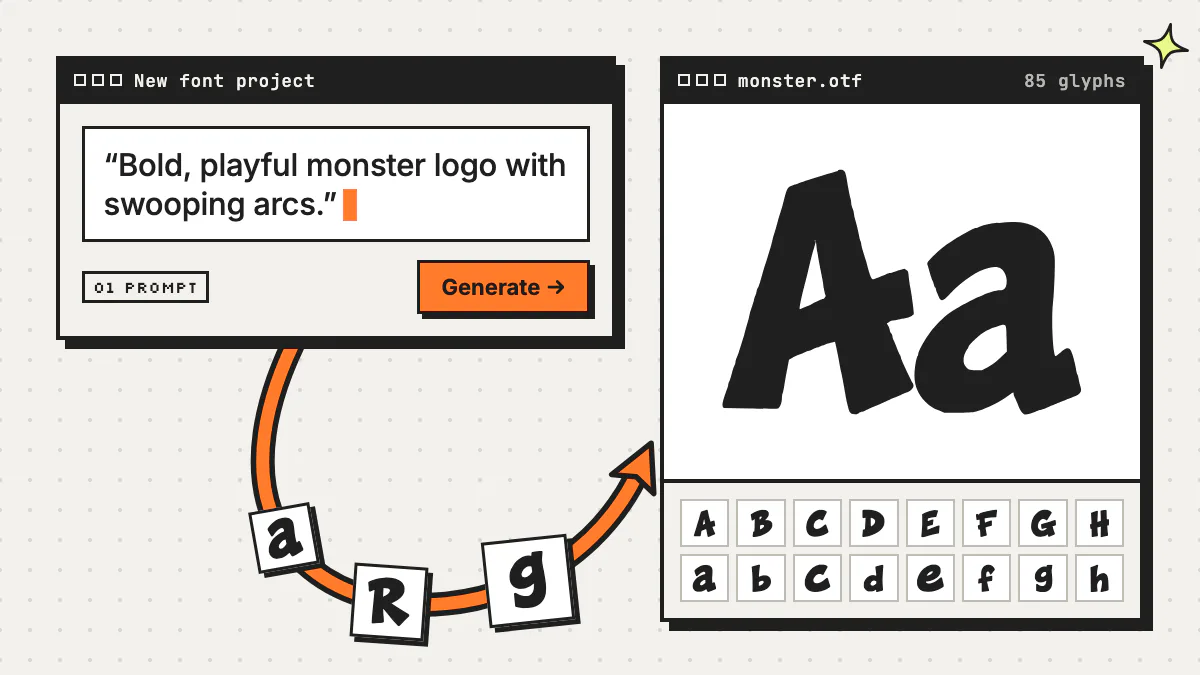
Fontjohn is an AI font generator: you describe a style in a sentence or upload a reference image, and it generates a complete, installable font with 85 glyphs (A–Z, a–z, 0–9 and 23 punctuation marks). For sellers, the useful part is everything after the drawing: outlines, kerning, weights, accents and export formats.
Describe the style your buyers search for
Type a prompt, or attach a reference image and let “Describe style” write it. Every run draws different glyphs, so no two fonts are identical.
Generate and fix weak characters
The full 85-character sheet takes roughly 30–90 seconds. Click any cell to regenerate just that character and pick from style-matched variants (each uses a regen credit).
Refine and kern
Clean each outline with simplify, corner sharpness, snap-to-grid or by dragging anchor points, then fine-tune the automatic kerning pair by pair and set letter spacing. Buyers zoom into previews, and reviewers like MyFonts check for lumpy curves, so this matters.
Add weights and accents, then export
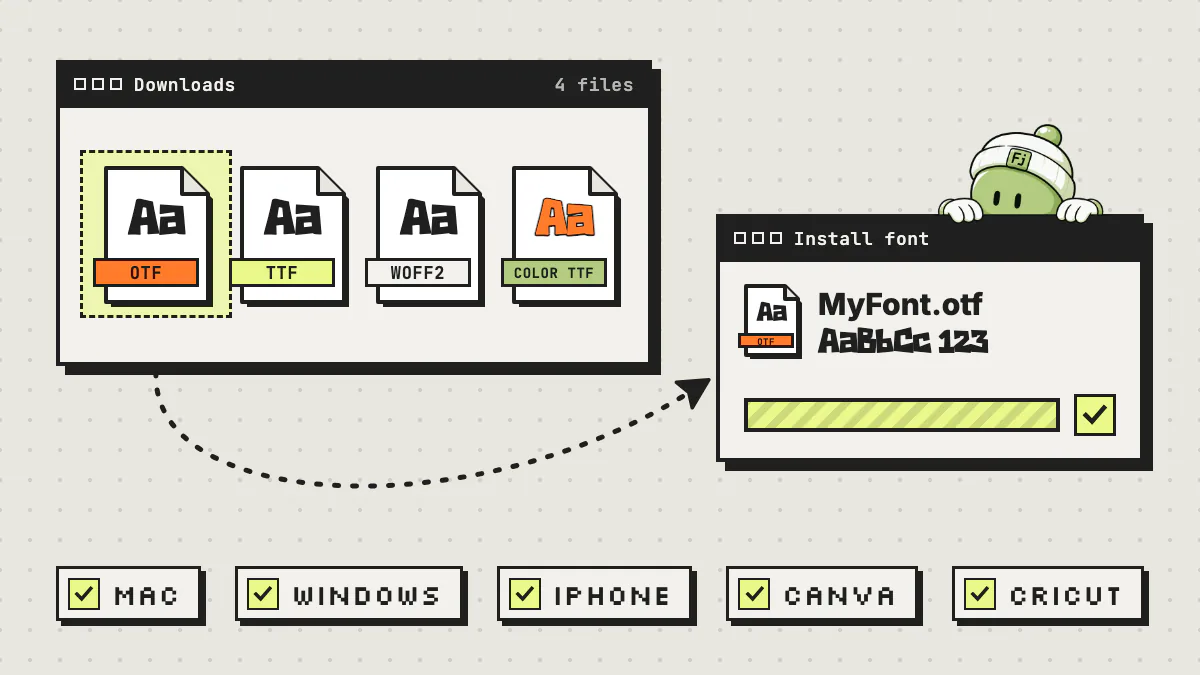
On Pro and Studio, derive Light through Black from the Regular and add accents for 40+ European languages. Download .otf, .ttf, WOFF2, a color .ttf when the sheet has color, or a family zip.
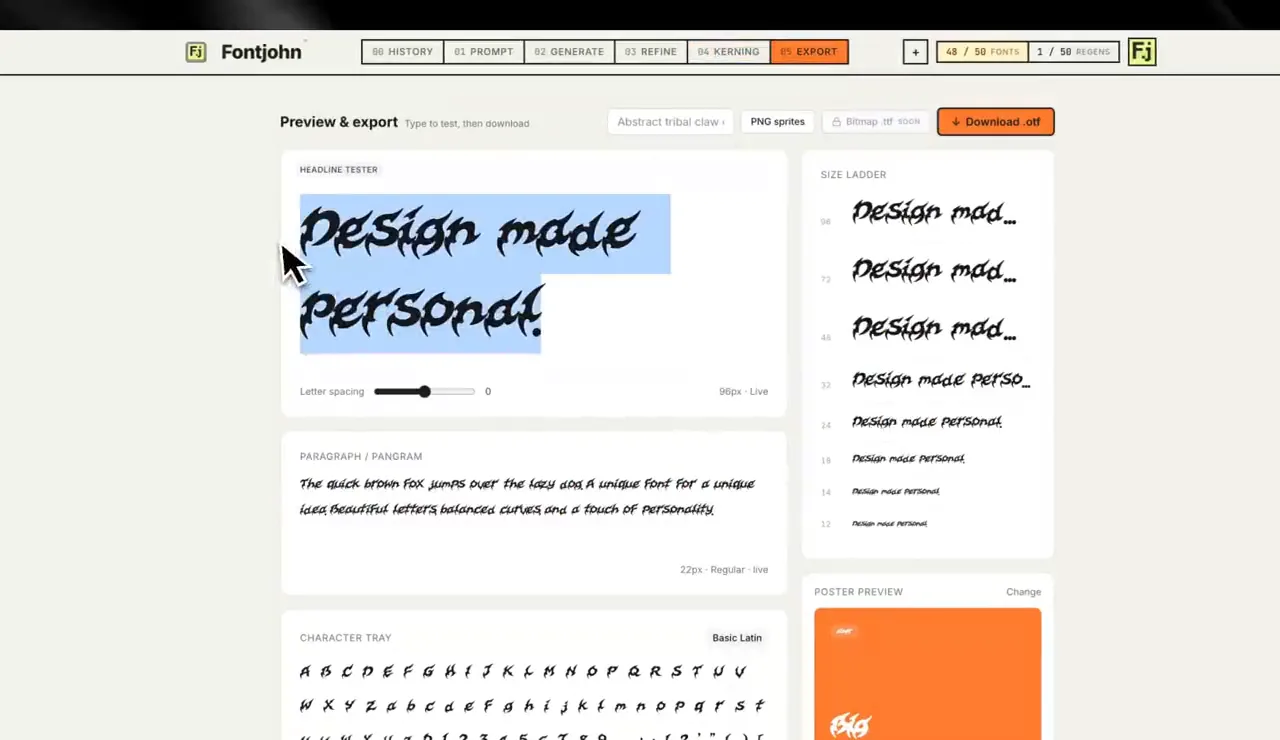
Be honest about what you’re selling. An 85-glyph font is a display font’s character set, not a professional font with 1,000-plus glyphs, so price and describe it that way, and list exactly which characters are included. Designing and type-testing one font a month is free; downloads need Pro ($20 a month or $200 a year) or Studio ($50 a month or $500 a year), as of September 2026 (see pricing). The full walkthrough is in how to make a font with AI.
Font licensing explained: desktop, web, app and commercial
A font license spells out where a buyer may use your font. On MyFonts and Creative Market, a desktop license covers installing it and making print, images and products, commercial work included. Webfont, app, e-book and digital-ad licenses cover embedding the font file in those formats, and uses beyond that, like shoppers typing their own text in a print-on-demand customizer, need their own terms.
| Feature | What it covers | Usually scoped by | Watch out for |
|---|---|---|---|
| Personal use | Non-commercial projects like gifts, school work and personal crafts | Usually a cheaper or free tier some independent sellers offer | Say clearly that selling anything made with it needs a commercial license |
| Desktop | Installing the font and using it in design apps for personal and commercial print, images, packaging and products | Number of users (MyFonts); Creative Market’s covers unlimited projects, with seats matching the number of users | Use as rasterized images only, never embedded as a file in websites, apps or games (Creative Market) |
| Webfont | Embedding the font on a website with @font-face | Pageviews and sites (MyFonts: annual, one domain; Creative Market: sites you own, with a pageview limit) | Agencies can’t share one license across client sites (MyFonts) |
| App | Embedding the font file in a mobile app (MyFonts), or in desktop apps, games and mobile apps (Creative Market) | Per app title (MyFonts prices per title, per year) | The font must not be extractable (Creative Market) |
| E-book | Embedding in an e-book, e-magazine or interactive PDF | Number of publications or titles | Each issue counts as a separate publication (MyFonts) |
| Digital ads | Embedding fonts in HTML5 ads such as banner ads | Ad impressions (MyFonts) | On Creative Market, rasterized ad images fall under desktop; other digital ad use goes through an enterprise license |
| Print-on-demand | Merch like tees, mugs and stickers printed on demand | Included in Creative Market’s desktop license, with limits | Only the licensee may create the finished product (Creative Market), so shopper-typed text in a customizer needs other terms |
Sources: Monotype’s foundry licensing guides and Creative Market’s font licenses, as of September 2026.
Writing your own license
On Creative Market, buyers get the platform’s own licenses. On Etsy or your own site, you write the end-user license agreement (EULA) yourself: who can use the font, for what, on how many computers, and what needs an upgrade. Put a summary in every listing and a license.txt in every download. Monotype’s licensing guides link sample desktop, webfont, app, e-book and digital-ad EULAs for its foundries, which are useful to read as a model. Have a lawyer review yours.
How much should you charge for a font?
Price by what the font is and what the license allows. Monotype’s guidance for MyFonts suggests roughly $20–$35 for a single display style like a script or decorative font and $35–$70 for professional fonts with rich OpenType features, and it recommends against prices under $9. Broader licenses cost more.
- Start from one style, one desktop license. Monotype’s single-style ranges (as of September 2026) describe exactly that. Its $35–$70 tier covers professional fonts, like scripts and display fonts with ligatures, alternates and swashes (often 1,000 to 2,000 glyphs), so a basic display font sits lower.
- Scale with the license. MyFonts multiplies the base price by number of users for desktop licenses, sells webfont licenses as prepaid pageviews valid for a year, and prices app licenses per title, per year. In Monotype’s own tables, a one-year license for one app title is 17 times the base price.
- Price families as an upsell. Monotype recommends family packs at 3 to 10 times a single style.
- Do the fee math per platform. On a $20 font, Creative Market’s default split leaves you $10; a direct Gumroad sale leaves $17.50 (or $14 through Discover); on Etsy, the 6.5% transaction fee and $0.20 listing fee leave $18.50 before payment processing and any Offsite Ads fee. MyFonts also requires its price to match or beat your other channels.
- Skip inflated prices with steep discounts. MyFonts requires full price at least half the time and warns that sales often drop once a steep discount ends.
Finally, compare against similar fonts on the platform you actually sell on, because crafters and professional designers expect different prices.
What preview images sell a font?
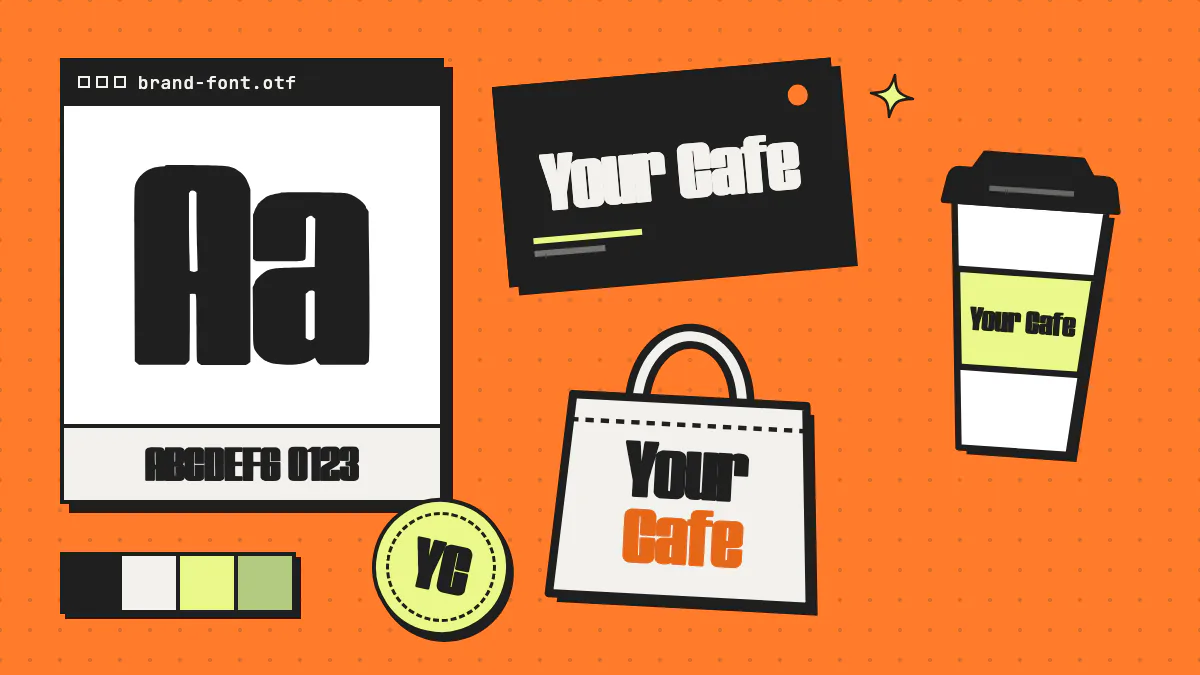
Buyers decide from the images, so show the whole font, not just its name. A strong set has a cover with the font name, the full character set, in-use mockups for your niche, and a card listing formats, languages and license. MyFonts asks for at least five 2000×1000 PNG images and rejects image sets that are pixelated, visually inconsistent or show price or discount text.
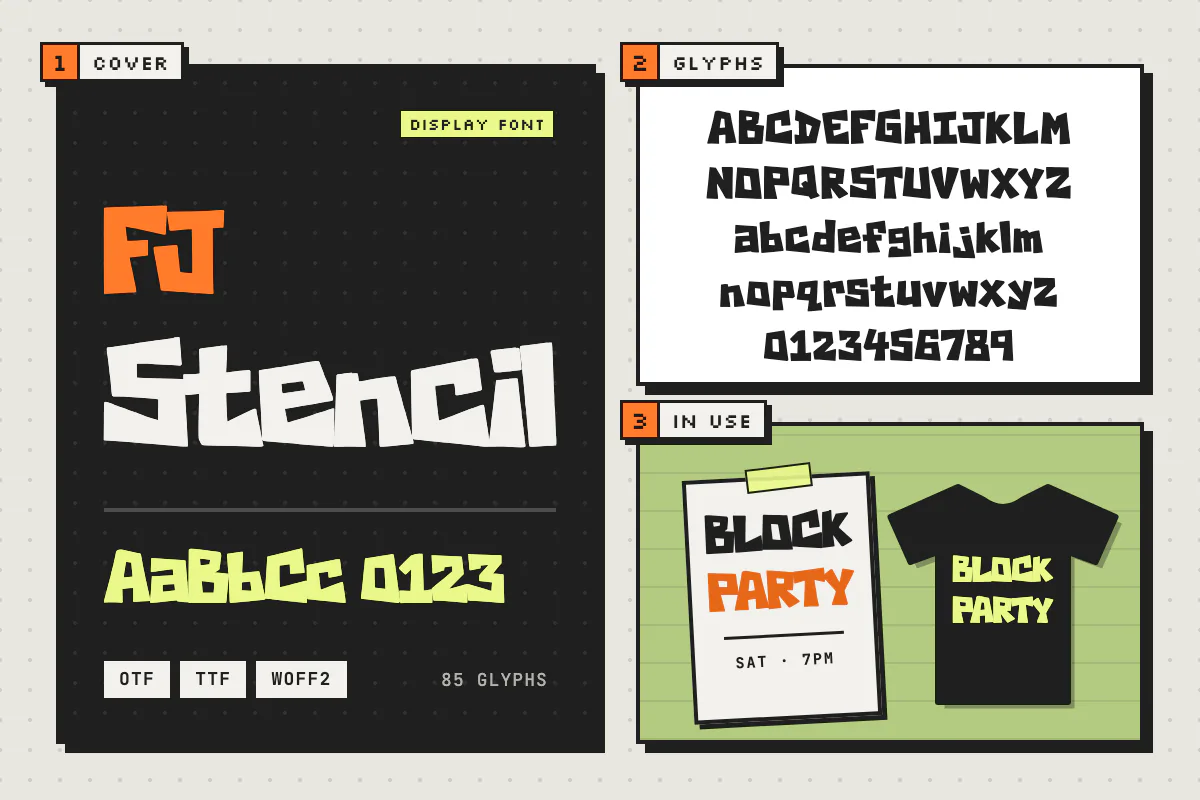
- Cover: the name set big in the font itself, readable as a tiny search thumbnail.
- Character set: every glyph you ship, so buyers can check for missing characters.
- In-use mockups: your buyer’s world, like a decal, tee, café sign or thumbnail. Use mockups you have rights to and no real brand logos.
- What’s included: formats (.otf, .ttf, WOFF2), weights, languages, glyph count and a license summary.
How do you get font listings found?
Write titles and tags the way buyers search: style plus font type plus use. Put the most important words first, fill every tag, open the description with what the font looks like and who it’s for, and never borrow other fonts’ or brands’ names.
- Title: name, style, font type and use, like “Bramble, a chunky bubble display font for logos and tees.”
- Tags: style words (bubble, retro, grunge), uses (logo, wedding, t-shirt), moods, seasons, synonyms, and formats like OTF and TTF.
- Description: the look, best uses and what’s in the download first; install help and the license summary below.
- Avoid: “similar to” another typeface, brand names, “free” when it isn’t, or “unlimited commercial use” unless your license says so. It misleads buyers and invites intellectual property complaints.
On your own site, give each font a page with a type tester, license table and short FAQ, and save yourself support emails by linking to a guide like how to install fonts on Mac, Windows, iPhone, Canva and Cricut.
Should you sell font bundles and families?
Yes, once you have a few fonts. Families (several weights of one design) and themed bundles raise order value and give buyers a reason to pick your shop, and Monotype suggests pricing a family pack at 3 to 10 times a single style. Keep bundles small and curated.
- Weights. Buyers expect a sans or serif to come in several weights. On Pro and Studio, Fontjohn derives Light, Medium, SemiBold, Bold and Black from the finished Regular with no extra AI generations and downloads them as one family.
- Language support. Accents open your font to buyers writing in other languages, and MyFonts’ recommended character set expects them. Fontjohn’s Latin expansion (3 fonts a month on Pro, 10 on Studio) adds accented letters for 40+ European languages, letters like ß, Æ, Ø and Ł, and symbols like € and ©, drawn in the font’s own style.
- Themed sets. A Halloween display trio or a 90s streetwear set sells a use case, not just a file.
- Stay within the rules. Etsy excludes AI prompt bundles and bundles of others’ work, and Fontjohn’s terms rule out bundling hundreds of generated files into a pack and reselling them as a marketplace.
How do you sell custom fonts to clients?
Custom fonts are sold as a service: a brand, creator or event pays you to design a font around their identity, then gets the files and a license. You’re paid per project instead of per download, so marketplace rankings don’t matter, but a portfolio and a clear process do.
Likely clients: small brands, cafés and shops, bands and streamers, sports teams, and couples planning wedding stationery. For the pitch, see why custom fonts win customers.
- Get a brief: the mood, where the font will appear, and the words it must look great in.
- Show two or three distinct directions. Every Fontjohn run draws different glyphs, so one brief can produce several options.
- Refine and kern the chosen one, then test it on the client’s real menu, sign or post.
- Deliver .otf and .ttf for design apps, WOFF2 for the website, any weights, and written usage terms.
Price by scope: characters, weights, languages, revision rounds and exclusivity. If the letters are AI-generated, say so up front. Since US copyright doesn’t cover letterforms, exclusivity mostly comes down to your promise not to sell or reuse the design, so spell that out in the contract.
How else can you earn with your fonts?
Your fonts can power other products: branding packages for small businesses, print-on-demand merch set in your own lettering, templates for Canva or Cricut users, and personalized names and monograms. When the font is your own, you don’t have to buy another designer’s commercial license first.
- Branding packages: a wordmark, a custom font and a few social templates, sold together.
- Print-on-demand merch: tees, mugs and stickers in your lettering. Etsy counts production-partner items as “designed by a seller” and requires you to disclose the partner.
- Templates: invitations, planners and social posts that show off your fonts and link to the font itself.
- Personalized lettering: names, monograms and event wordmarks for weddings, teams and shops.
All of it starts with a font worth selling. Start one free, test it on the words your buyers care about, and only upgrade when you’re ready to download.
Frequently asked questions
Can you really make money selling fonts?
Yes, fonts are sold as licenses on marketplaces like Etsy, Creative Market and MyFonts and from sellers’ own stores, but results vary widely and no marketplace guarantees traffic or sales. Your odds improve with a catalog of fonts in a clear niche, strong preview images, several license tiers and your own promotion, often combined with custom font or branding work.
Can I sell AI-generated fonts on Etsy?
As of September 2026, yes. Etsy’s Creativity Standards list AI creations made from a seller’s original prompts under “designed by a seller,” and the listing description must disclose that AI was used. The AI tool’s terms also need to allow resale. Creative Market allows AI products with a disclosure label, while Envato does not accept AI-generated content as an item’s main component.
Are fonts protected by copyright?
In the United States, the Copyright Office does not register typeface designs, meaning the shapes of the letters. A program that generates a typeface can be registered as a computer program if its source code contains enough original authorship, but that registration doesn’t cover the letterforms. Purely AI-generated material isn’t protected either. Rules differ in other countries, and this isn’t legal advice.
How much should I sell a font for?
Monotype’s foundry guidance for MyFonts suggests about $20–$35 for a single display style such as a script or decorative font, $35–$70 for professional fonts with large glyph sets and OpenType features, and advises against prices under $9. Charge more for multi-user, web and app licenses, and price family packs at roughly 3 to 10 times a single style.
What is the difference between a desktop and a commercial font license?
They overlap. On MyFonts and Creative Market, a desktop license already covers personal and professional work: installing the font and using it to make print, images and products, usually priced by number of users. When an independent seller offers separate personal and commercial licenses, the commercial one is what covers business use, so check exactly what it adds. Embedding the font file on websites, in apps, e-books or digital ads needs its own license, so always read the specific terms.
Can I sell fonts I make with Fontjohn?
Yes. Fontjohn’s terms say you own the fonts you generate, and fonts downloaded on a paid plan include a commercial license with no royalties or watermark. Reselling the raw .otf is allowed when you’re selling your own derivative work, but you can’t bundle hundreds of Fontjohn-generated files into a pack and resell them as a marketplace, or make ripoffs of proprietary typefaces or trademarks.
Make the first font for your shop
Describe a style your buyers search for, refine the outlines and kerning, and export .otf, .ttf and WOFF2 on a paid plan. Designing and type-testing one font a month is free.
Make a font freeFree to design and test. Downloads start with Pro.